Brought To You By Emily Parks
Productivity Consultant at Organize For Success, LLC...
Helping You Make Every Minute Matter!


Showing posts with label notebook. Show all posts

Thursday, September 5, 2013

Top 15 Features Offered by Evernote for Adding More "Wow!" to Your Life

So you've heard about this amazing tool to help you "remember everything", but you're simply not sure how it could really impact your life? Well, there are a plethora of features that make using Evernote truly awesome for entrepreneurs, C-level executives, busy professionals, small business managers and the like. Here are just a few examples of its amazing features:

1. While the most basic note in your Evernote database will consist merely of only typed text, each note can be much more complex, having options for including stored documents, recorded audio or video, captured photographs, web clippings and tasks with reminders. Solely your creativity can limit your options for notes to be included in your database.

2. Evernote users can create an unlimited number of notebooks in which to organize their notes, containing an unlimited number of notes in each notebook. Then, notebooks can be combined into what's known as stacked notebooks, providing limitless options for organizing all of one's saved content.

3. Tags allow one more level of filtering to find exactly what you need when you need that specific information. While no note requires a tag, such categories can be helpful when grouping notes from different notebooks or if you'll be searching for a note by a term not included in that note's contents.


4. Speaking of searching for any given note, it is Evernote's search capabilities that truly separate this tool from its competition. The search feature combs through not only notes' titles and the notebooks' names in which those notes are stored, but it also seeks a match in all typed or photographed text in each note's body as well as in any associated tags or URLs from which content was clipped.

5. Sharing notebooks supports collaboration as users can manage projects with team members in different places or communicate information with clients while not working in a face-to-face or side-by-side scenario.

6. Likewise, users are able to share individual notes via a link on Facebook, a link on Twitter, in an email or saved as a URL copied to a computer's clipboard.
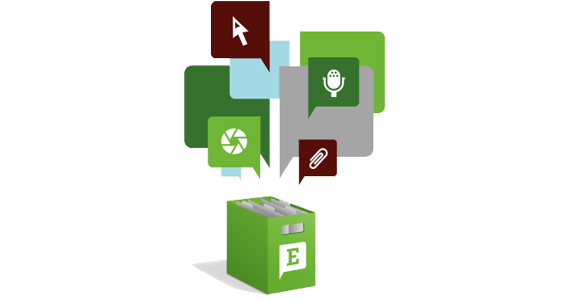
7. Evernote offers a multitude of methods for creating notes... Every account is assigned its own email address, and each email sent to it creates a new note. Content can be clipped from various different web browsers as each clipping creates a new note. And content tweeted to @myEN subsequently creates a note, too.

8. As one's database grows, the convenience of easily editing notes' content allows each user's Evernote account to evolve with that individual's needs.

9. To enhance the ease of editing, Evernote added the Skitch feature so users can add annotations to any notes that contain images, which includes options for arrows, stamps, text, shape overlays, highlighting and more.

10. Furthermore, users are able to merge social media connections and related notes based off any interactions with those individuals in scans of business cards or manually uploaded contacts via Evernote's acquisition of Hello.

11. As reminders can be attached to each note, including an alert based off any specified date and time, Evernote allows for task and project management.

12. Evernote's ubiquity empowers users with the capacity of accessing the same information everywhere at the same time as it syncs "real time" between all devices on which the user has included the tool.

13. Via its "trunk", Evernote integrates with TONS of different partners.

14. Based off its desire to be "the permanent, trusted and ubiquitous place for all memories", Evernote holds fast to three rules: your date is yours, your data is protected and your data is portable.

15. While there are enhancements available for a small fee in the Premium version or for enterprise users in the Business version, most functionality offered by Evernote is included for free, which might be the best feature of all.

Want to learn more, including step-by-step instructions on setting up and best utilizing your account? You're in luck... A new offering of Emily's "Using Evernote to Remember Everything - Evernote Basics" workshop has been added at 3-5pm TOMORROW, and you can learn more or register now at http://evernotebasics.eventbrite.com. We look forward to seeing you there!

Monday, May 16, 2011

Using Evernote to Organize for Success

I have to admit that one of my favorite (if not my absolute favorite) organizing tool is Evernote, which can be found at http://www.evernote.com. There is too much to remember on a day-to-day basis, but this tool enables you to securely capture and retain all those thoughts, checklists, web clippings, photos, audio recordings and so much more; then, Evernote allows you to easily access all that information from anywhere by using its advanced search capabilities via multiple outlet options. As a business organizing consultant, I find this tool to be sooo fabulous, both for myself and for my clients. Here are just a few techniques to best utilize Evernote as a tool to organize for success:

Regularly upload lots of different kinds of information to your Evernote account from anywhere via DIFFERENT CAPTURE OPTIONS... You can add content wherever & whenever it comes across your mind on the web-based version, on the version downloaded to your desktop OR on the version installed on your smartphone as an app. Still, you can also send notes to your Evernote account directly from your email management solution; once you've logged into Evernote, click on Settings to access Account Summary, where you can find the email address to which you need to send info you'd like added as a note in your default notebook. Or you can forward Tweets to your Evernote account from Twitter via @myEN to be added immediately as notes in your default notebook; follow myEN from your Twitter account to get a direct message back with a link-up URL. Evernote makes uploading content so convenient.

Vary the information you upload based off all the DIFFERENT CONTENT OPTIONS that Evernote allows. Evernote readily accepts plain text notes, web clippings, photos or uploaded images (in JPG, PNG, PDF and more), screenshots, audio recordings and checklists... Evernote Corporation truly encourages capturing everything by offering so many options for acceptable content.

Make sure you use all you have added to your Evernote account via the DIFFERENT RECALL OPTIONS offered within the system. As Evernote explains on its website, this tool helps you remember everything by making anything you see, think or experience accessible and searchable across all the platforms and devices that you use, but what does that mean?
--- Everything you upload is automatically indexed to be searchable, meaning typed or handwritten content can be searched, even if the note's content is simply a scan or photo of the writing.*
--- Notes can be organized into different notebooks, allowing you to sort through a smaller number of uploaded notes at one time by selecting a single notebook to be viewed at that time.
--- If you choose, you can add tags to different notes, organizing content from different notebooks into groupings by tags and allowing you to search for them by that assigned tag term.

Think of your Evernote account as being a shelving unit in your office, except that Evernote is accessible when you are mobile while a shelving unit is accessible only when you are in your office. Then, each notebook in Evernote would be like a 3-ring binder on your shelving unit, and each note in an Evernote notebook is like each sheet of paper in those 3-ring binders on your shelving unit. However, unlike the shelving unit where you have to look at each binder's label or the content on each page in that binder to see its content, Evernote allows you to type a word in the search field to find it anywhere in any note's content, notebook name, title or tags.

Basically, I see Evernote as a "data dump" for all the information that overloads all of us each day, week, month or year, but it's greatest strength is how easy it makes retrieving the information you uploaded to your account. This program's search capabilities are simply amazing!

Although I will continue sharing additional ways to best utilize Evernote, I would love to hear how this tool is impacting your life right now. Are you using Evernote already and, if so, what techniques do you use to maximize this tool's effectiveness? Please share in the Comments section below.

If this is the first you have heard of this exceptionally fabulous tool, it is never too late to get started using it... Feel free to visit http://www.evernote.com today, click on "get started" to set-up an account as well as download the desktop version for your particular computer and view how-to videos. I am confident that you will not be disappointed in all that you are empowered to do by using this tool.

* The only exception to a note's content being searchable would be a PDF in the free version of Evernote, but that can be overcome by switching to an Evernote Premium account at $5/mo or $45/yr.